Remove the unwanted element
Erase a photobomber, cable, bin, sign, packaging prop, stain, or visual distraction from a defined part of the image.
Remove unwanted people, clutter, signs, props, and photo distractions. Rebuild the scene naturally while keeping the subject and composition intact.
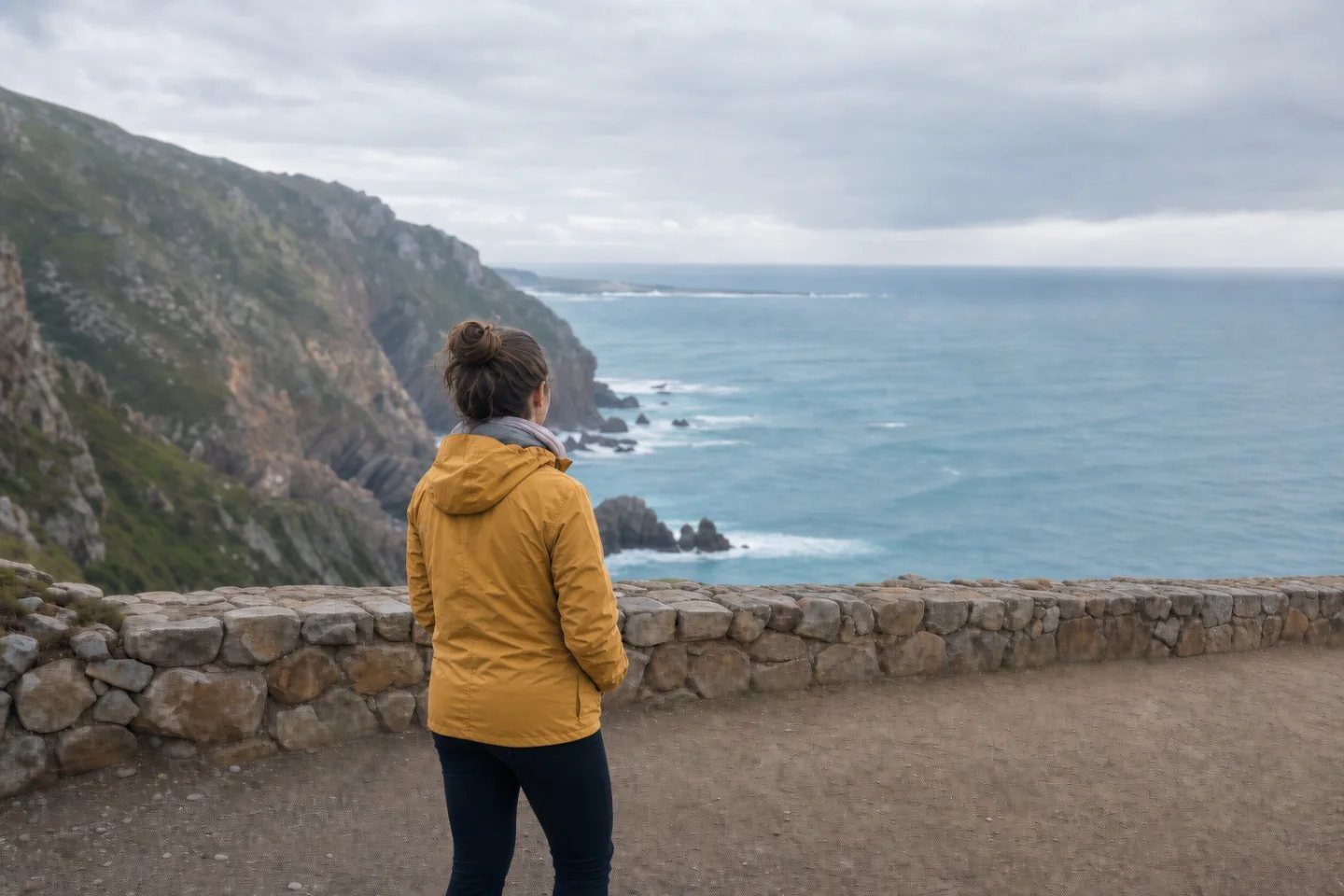
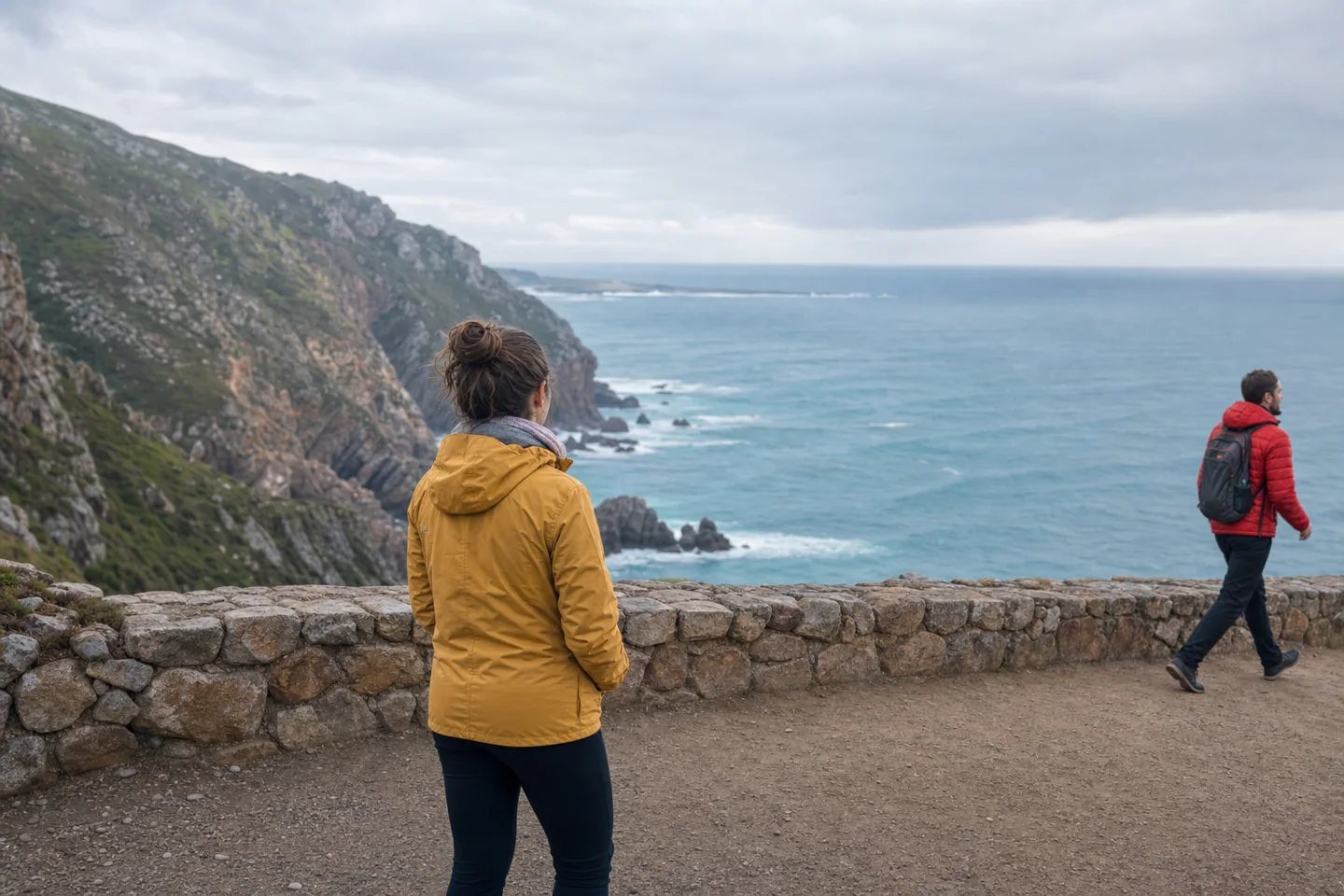
Object removal works best when the edit is precise: identify what should disappear, define what stays protected, and reconstruct the texture that belongs behind it.
Erase a photobomber, cable, bin, sign, packaging prop, stain, or visual distraction from a defined part of the image.
Continue walls, water, sky, fabric, floors, surfaces, or natural scenery so the removed area feels coherent.
Lock the subject's identity, pose, product geometry, background anchors, crop, lighting, and color treatment.
The example clears one red-jacketed passerby from a coastal viewpoint. The model rebuilds the ocean, stone wall, and path while preserving the woman, horizon, cliffs, weather, and original color.
Review: Look for repeated texture, smudged edges, broken lines, leftover shadows, and accidental changes to the protected subject.
The more clearly you name the object and the scene behind it, the easier the result is to evaluate.
Use the highest-quality source available so the model can understand nearby texture, lighting, and geometry.
Identify the person or object precisely and state which subjects, lines, colors, and background anchors must remain unchanged.
Zoom in to check edges, texture continuity, reflections, shadows, patterns, and any protected faces or products.
Remove photobombers, bins, cones, signs, and temporary clutter from memorable locations.
Erase dust, cables, supports, reflections, props, and unwanted items around a product.
Clear small clutter while preserving architecture, finishes, perspective, and room lighting.
Remove background people or distracting objects without changing the main person.
A useful brief protects the main subject and names the textures that should continue behind the object.
Open Custom ModeRemove only the man in the red jacket and his backpack from the far right. Reconstruct the ocean, stone wall, and gravel path naturally. Preserve the woman in yellow, her pose, the horizon, cliffs, weather, camera position, crop, lighting, and color grade.
It can remove unwanted people, signs, bins, cables, props, stains, clutter, small blemishes, and other distractions when enough surrounding context is visible.
AI studies the nearby scene and generates plausible continuation for textures, lines, lighting, shadows, and objects that were hidden behind the removed element.
Yes. Results are usually strongest when the unwanted person is separated from the main subject and the background behind them can be inferred.
A targeted instruction should protect the main subject, but every result should be reviewed for identity, pose, clothing, product detail, and accidental scene changes.
Large overlapping subjects, complex reflections, repeated patterns, text, transparent materials, and objects covering important faces or structures can require additional refinement.
Upload the original, describe the exact target, and rebuild the scene around the moment you wanted.
Clean up a photo