Geometry lock
Preserve silhouette, sole height, toe shape, heel structure, lace layout, and product proportions.
Generate front, side, rear, overhead, and three-quarter views from one photo. Explore a new perspective while preserving the subject’s color, materials, proportions, and identity.
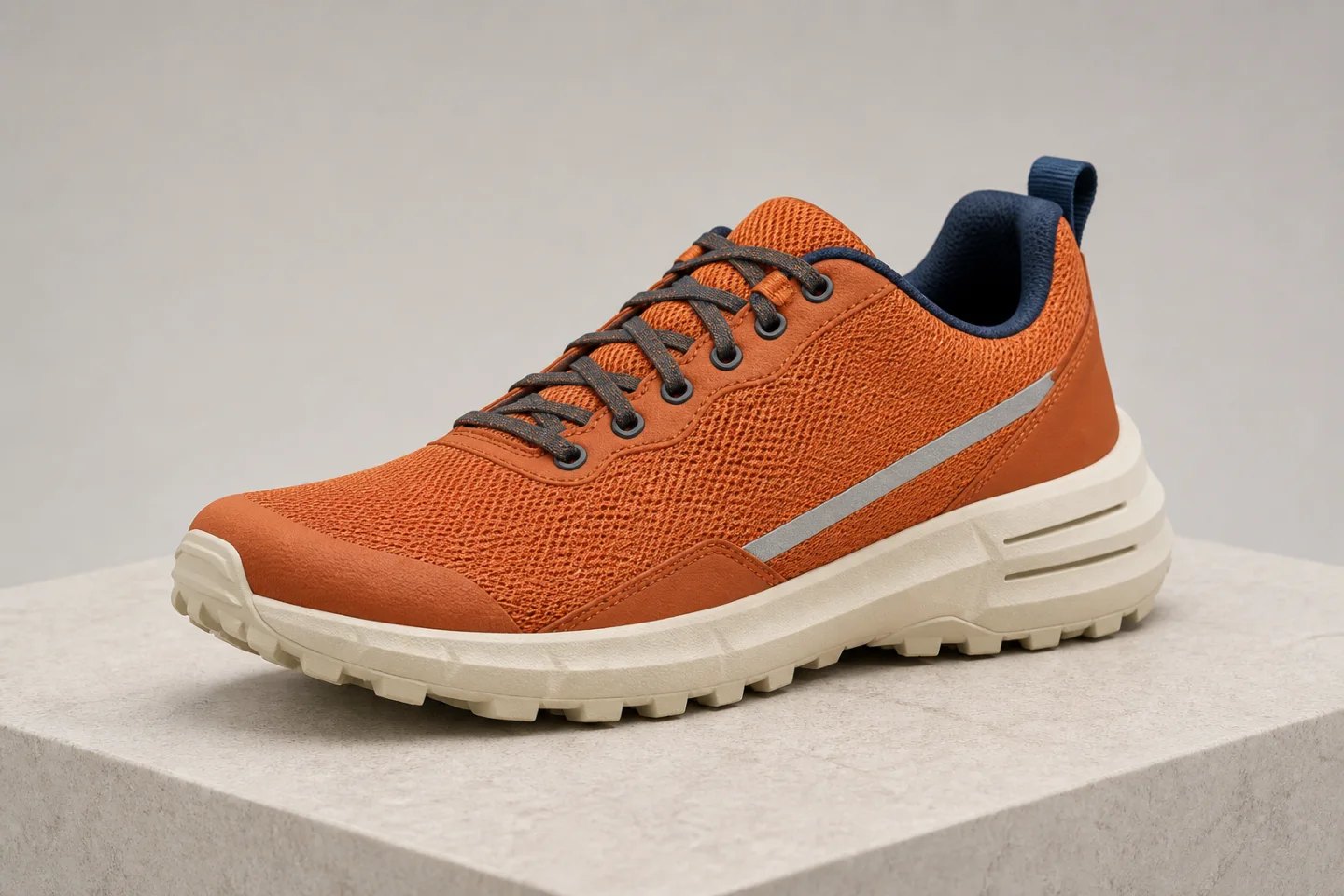
Every frame comes from the same reference shoe. The camera moves while the clay-orange mesh, navy lining, silver stripe, cream outsole, stitching, and proportions remain recognizable.
Camera-angle generation must infer surfaces that were not visible in the source. A strong brief separates the requested viewpoint from the details that must remain fixed.
Preserve silhouette, sole height, toe shape, heel structure, lace layout, and product proportions.
Keep mesh, rubber, stitching, reflective fabric, color, texture, and finish consistent.
Maintain product scale, background, pedestal, lighting direction, shadow softness, and crop.
Generate the missing perspective for ecommerce, creative production, and visual planning while reusing an approved source.
Create front, side, rear, detail, and overhead images for listings, marketplaces, comparison modules, and sales pages.
Build listing imagesExplore side profiles, high angles, low angles, and editorial framing without organizing another portrait session.
Edit the full photoTest wide, close, overhead, and dramatic viewpoints before committing to a video, ad, or physical shoot.
Continue to videoA precise angle brief identifies rotation, tilt, framing, and the protected reference details as separate controls.
Move from front to three-quarter, side, or rear views while keeping the object centered.
Request eye-level, low-angle, elevated, or true top-down viewpoints.
Choose a wide product scene, standard catalog frame, or close material detail.
List exact colors, shapes, labels, materials, lighting, background, and crop that cannot drift.
Treat the result like a new photograph of the same approved subject, not a loose visual variation.
Use a sharp photo that shows useful product geometry, materials, edges, labels, and lighting with minimal obstruction.
Specify front, side, rear, overhead, bird’s-eye, low-angle, or a degree-based horizontal and vertical movement.
Compare silhouette, proportions, materials, labels, reflections, perspective, shadows, and newly revealed surfaces.
It uses an uploaded image as a reference and reconstructs the subject from a new virtual camera position, such as front, side, rear, overhead, high-angle, or low-angle.
Yes. A clear reference can be used to generate additional product views. Because hidden surfaces must be inferred, review labels, geometry, materials, proportions, and packaging details before publishing.
No. A normal rotation only turns the existing flat frame. An AI angle change reconstructs depth and reveals surfaces that were not visible from the original camera position.
You can generate a sequence of angles around the product and use them as a multi-view listing set. Check consistency between every frame before presenting them as a continuous 360-degree view.
Use sharp, well-lit images with the full subject visible, a clean silhouette, realistic perspective, and enough surface detail for the model to understand shape and materials.
Lock product or face identity, silhouette, dimensions, color, materials, labels, construction, clothing, lighting, background, scale, and crop unless one of those elements is intentionally changing.
Upload one clear reference, choose the perspective, lock the details that matter, and generate the next useful angle.
Generate a new camera angle