Recover readable detail
Lift underexposed areas, contain bright highlights, and balance contrast without flattening the subject.
Adjust photo lighting, exposure, shadow direction, highlights, and atmosphere with AI. Add depth to flat product, portrait, food, and campaign images without rebuilding the scene.
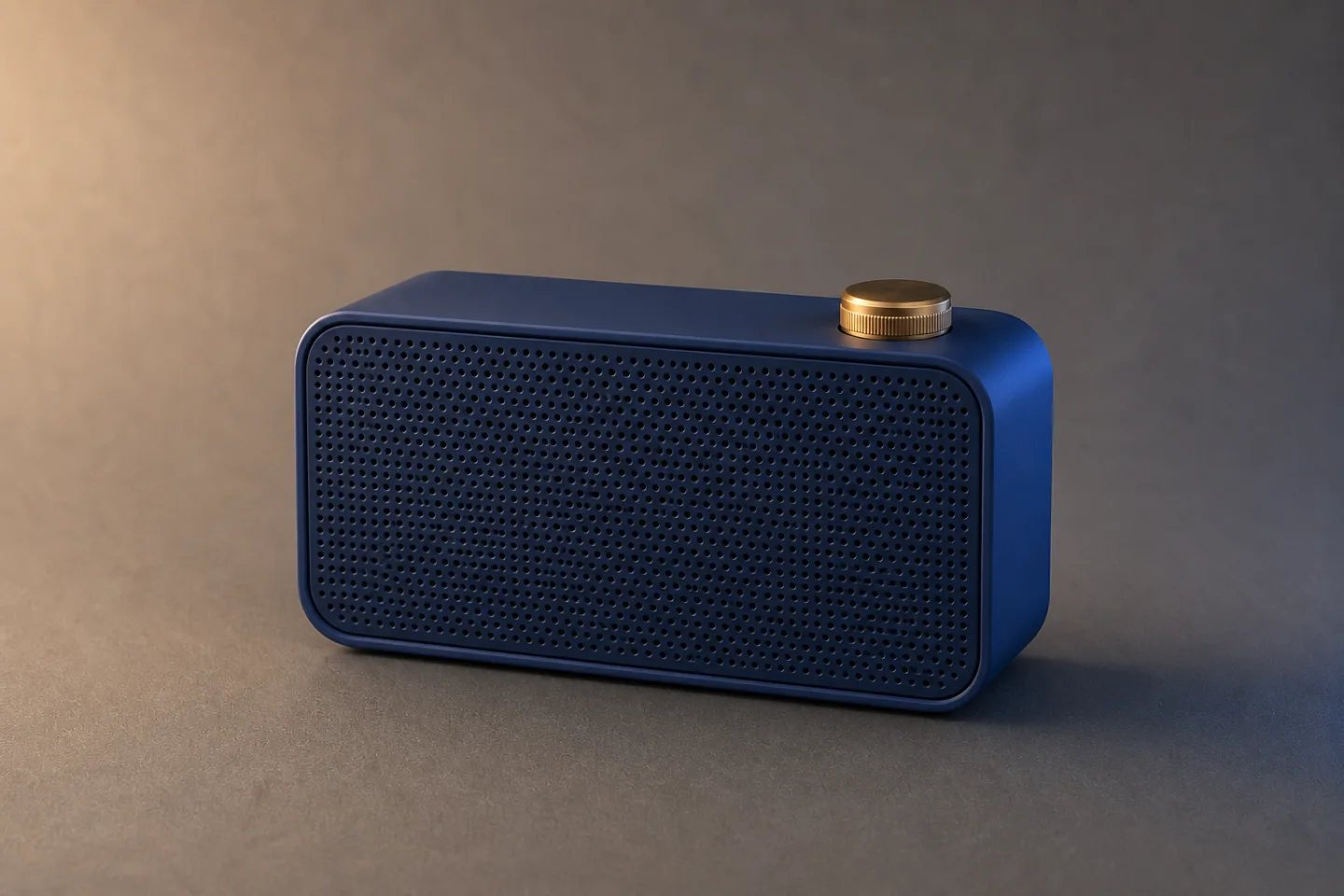
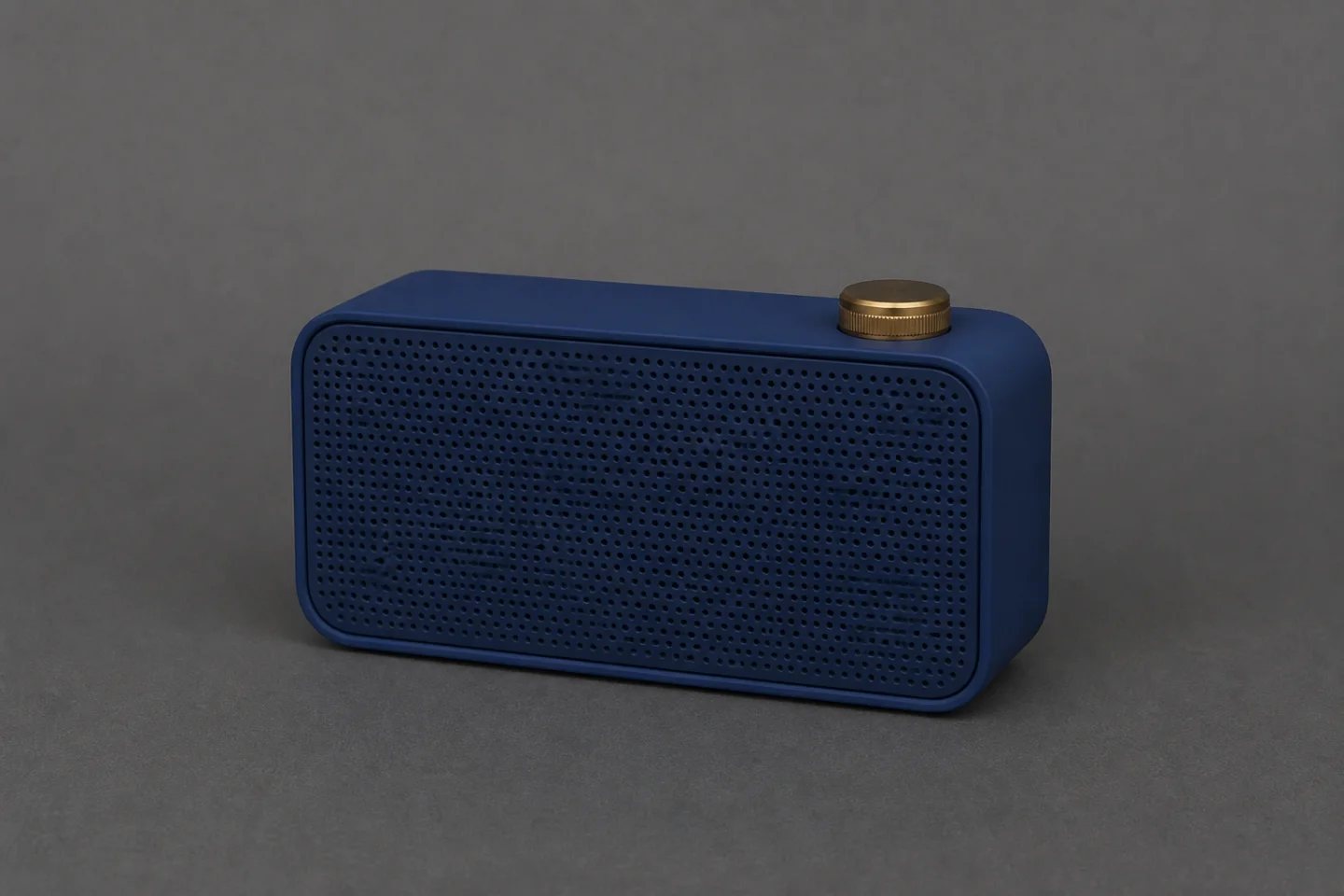
Relighting is more than making a photo brighter. It controls where attention lands, how materials feel, and whether the subject sits naturally in the scene.
Lift underexposed areas, contain bright highlights, and balance contrast without flattening the subject.
Add a soft side key, rim separation, window light, studio gradient, or more coherent shadow direction.
Move toward clean marketplace light, warm lifestyle daylight, dramatic campaign contrast, or a calmer portrait treatment.
The source speaker is slightly underexposed and blends into the sweep. The relit version adds a warm key, cool edge, controlled brass highlight, and directional shadow while preserving the product and scene.
Review: Check color accuracy, surface texture, label visibility, shadow logic, highlight clipping, and any material that should remain neutral.
Name the source, direction, softness, mood, and product or identity details that must remain stable.
Use a sharp image with enough detail in highlights and shadows for the model to interpret materials and scene depth.
Specify key-light direction, softness, fill, rim, exposure, shadow treatment, mood, and protected colors.
Confirm that shadows share one logic, highlights follow the materials, and products or skin tones remain accurate.
Reveal form, texture, edges, and materials while keeping product colors consistent.
Balance facial light, soften harsh shadows, and create more natural separation from the background.
Improve appetite appeal, surface texture, warmth, and the sense of depth around dishes or interiors.
Create warmer, brighter, cinematic, or more dramatic visual direction from an approved source image.
Protect the subject first, then define the new lighting system.
Open Custom ModeReplace flat overhead light with a large warm key from upper left, a subtle cool rim from rear right, a controlled highlight on the brass knob, and a soft directional shadow. Preserve the exact cobalt speaker, grille pattern, knob, camera angle, crop, gray sweep, and product color.
AI image relighting changes how light appears to fall across an existing photo. It can adjust exposure, contrast, highlights, shadows, light direction, separation, and atmosphere.
It can improve visibility and rebalance light, but severely clipped or missing source detail cannot be factually recovered. Review the result for texture and accurate color.
Yes. Explicitly protect the product's shape, color, materials, labels, components, camera angle, and position while defining only the lighting changes.
Yes. Ask to preserve the background and geometry while changing light direction, exposure, shadow softness, color temperature, and atmospheric contrast.
Check skin tones or product colors, consistent shadow direction, realistic reflections, highlight clipping, material texture, grounded contact shadows, and protected details.
Upload the photo, describe the light, protect the subject, and review the result at full size.
Relight a photo