Describe the finished image
Ask for a clean catalog shot, a warmer campaign mood, removed distractions, more canvas, or a new visual direction.
Upload a photo, describe the finished image, and let Filtrix handle the background, cleanup, lighting, framing, and creative treatment in one directed edit.

The best AI photo editor understands the outcome, not just one adjustment. State what should change, protect what matters, and build an image for the destination.
Ask for a clean catalog shot, a warmer campaign mood, removed distractions, more canvas, or a new visual direction.
Keep the person, product, pose, camera angle, materials, colors, or composition that must remain recognizable.
Prepare one source photo for ecommerce, ads, social posts, presentations, thumbnails, and campaign layouts.
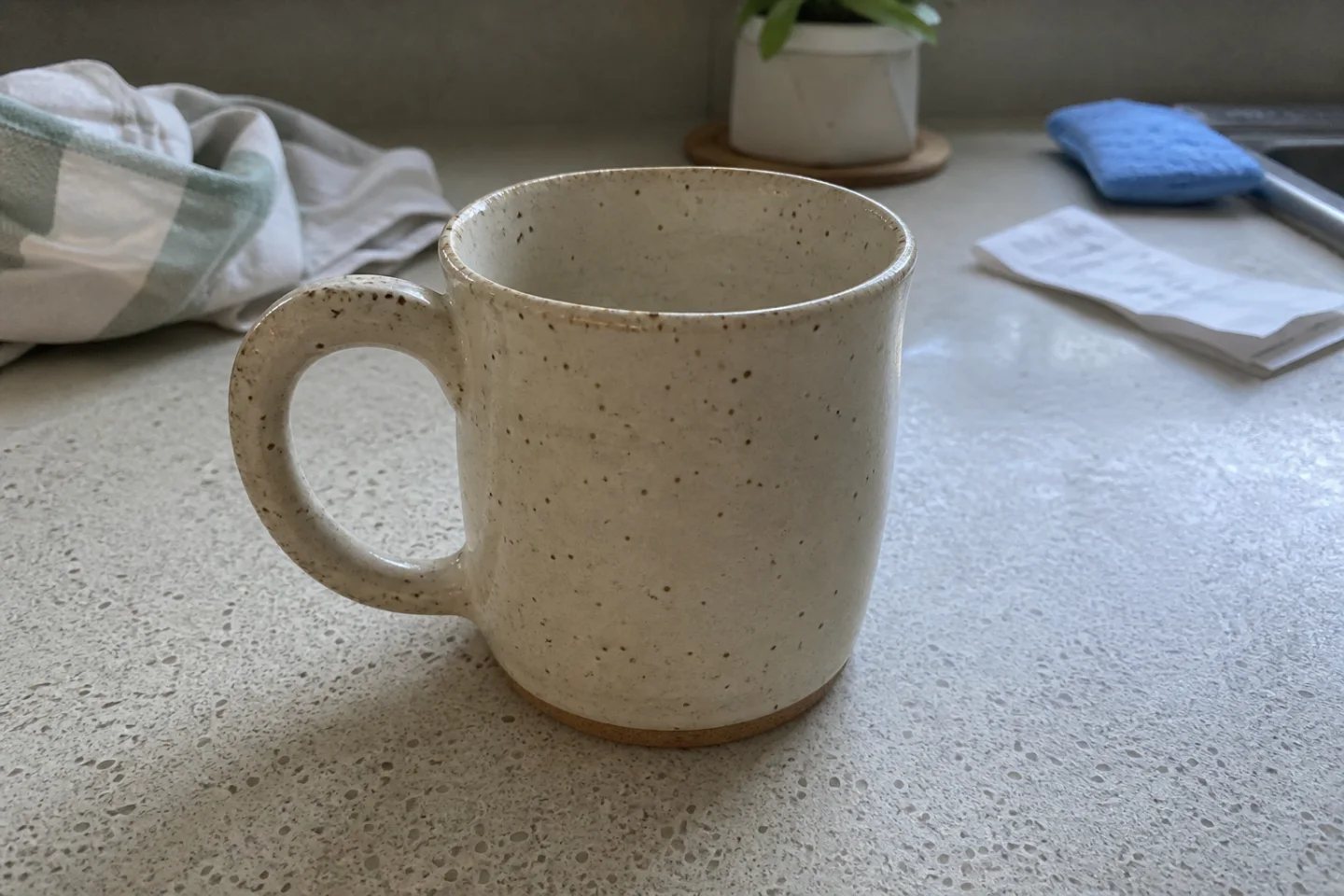
The example starts with a believable seller photo: a ceramic mug on a busy kitchen counter. The edit removes clutter, creates a warm studio world, and preserves the mug's recognizable form.
Review: Check identity, materials, labels, hands, faces, and product details whenever an edit will be published commercially.
A clear instruction separates the creative change from the details the model must preserve.
Choose a sharp photo with visible subject edges, useful detail, and as little obstruction as possible.
Name the new background, light, cleanup, or framing, then state exactly what must stay unchanged.
Review the result at full size, refine one issue at a time, and export the strongest version for its destination.
Turn phone photos into cleaner, more consistent listing and campaign images.
Adapt one approved visual for ads, landing pages, email, and social placements.
Remove distractions, adjust mood, reframe shots, and build polished posts without manual layers.
Explore directions quickly while documenting the elements that must remain on brand.
Specific editing briefs produce results that are easier to judge and refine.
Open Custom ModeRemove the towel, sponge, receipt, plant, sink, and kitchen clutter. Replace the environment with a warm terracotta studio and pale stone surface. Add soft morning light. Preserve the exact speckled cream mug, rounded handle, glaze, scale, camera angle, and framing. Add no extra props or text.
An AI photo editor changes an uploaded image from a natural-language instruction. It can remove or replace elements, change backgrounds, improve lighting, expand framing, and create new visual treatments.
Yes. Describe the desired change in plain language and include the details that should remain fixed, such as identity, product shape, pose, materials, colors, or camera angle.
Sharp source photos with clear subjects, visible edges, and limited obstruction are the most reliable. High-resolution inputs also make small details easier to preserve and review.
Yes. Use prompt editing to clean backgrounds, relight products, remove distractions, create negative space, and adapt a source photo for different commerce channels.
AI edits can reinterpret small details. Explicitly list protected elements and review faces, hands, text, labels, colors, proportions, and functional product details before publishing.
Upload one image, write a precise editing brief, and create a version built for the channel.
Open the AI photo editor